Middle School Extra Lesson November
Introduce Genres of Music: Use the slides to introduce the concept of Musical Genres.
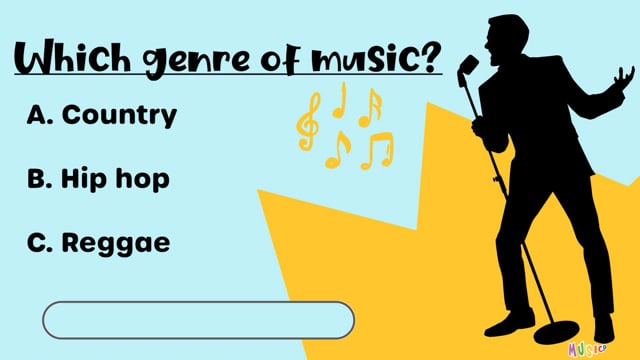
Genre Guessing Game: Play the video from Step 2 of the module to run this activity.
Elements of Music Search: Use the printable from Step 3 of the module for this activity.
Make copies of the “Elements of Music Search” worksheet.
Print and cut out the definitions.
Place the definitions around the classroom.
Have students walk around the room to find each definition and record it on their worksheet.
When everyone is finished, discuss the definitions as a class.
Media Transcript
* Transcripts have been auto-generated and may contain errors.
Page Controls
Make copies of the ‘Song Analysis’ worksheet. There are two versions: one with a checklist and one where students generate their own answers.
Print double-sided, completing it once together as class, then once in small groups. Choose two contrasting listening examples and review answers as a class. See below for a "School Safe Playlist" link and/or use the songs and genres selected within this module.
Media Transcript
* Transcripts have been auto-generated and may contain errors.
Page Controls
Below are two musical genres examples to use for the "Song Analysis Worksheet". Each has a YouTube External Link and Concept Slides. Use these examples, or select your own using the "School Safe Playlist" external link. For each genre featured on the playlist, there are concept slides within the "Genres of Music Unit" to help complete the "Song Analysis Worksheet".
Read through the concept slides as a class. Listen to the musical example from the external link below. Complete the "Song Analysis Worksheet".
Read through the concept slides as a class. Listen to the musical example from the external link below. Complete the "Song Analysis Worksheet".
Extend the activities above into a research project. Various options are provided including students filling in a worksheet, or creating their own project like a slideshow. See all project options below.
Media Transcript
* Transcripts have been auto-generated and may contain errors.
Page Controls
• This printable has all the questions asked in the larger project.
• You can use this as a first step in the project for students to gather and find their information.
• If time is limited, you may omit this resource and proceed directly to the project checklist.
• There is an optional question at the end to draw as album cover of the artist and instruments used in the song.
Media Transcript
* Transcripts have been auto-generated and may contain errors.
Page Controls
Students select how they want to demonstrate their knowledge. This document holds students accountable for ensuring all required elements are included in their projects.
Media Transcript
* Transcripts have been auto-generated and may contain errors.
This is a sample of the project using the slideshow option. Use this to show students an example for their own projects.
Give timely feedback as you work through the projects in class. Use this rubric to assess the projects.
Media Transcript
* Transcripts have been auto-generated and may contain errors.
Use these worksheets as extension activities or for review when students are done their projects.
Media Transcript
* Transcripts have been auto-generated and may contain errors.
Use these worksheets as extension activities or for review when students are done their projects.
Media Transcript
* Transcripts have been auto-generated and may contain errors.